


Scroller - A customizable auto scroll Google Chrome extension.
I read manga, news articles, blogs a lot and find it painful to scroll through those long pages every time. This extension handles that pain so that you can fully enjoy the reading experience.
How to use:
1. Install and pin the extension.
2. Click on the extension icon displayed after the address bar to save configuration.
3. Right click on the webpage, select "Scroller" from the options and then you can either click on "Start Scroll" or "Stop Scroll".
4. A Normal Click anywhere on the webpage pauses the auto scroll temporarily. To resume it just do a slight scroll manually. To Stop it permanently, use the right click menu.
Coming to the Features:
This extension has two modes:
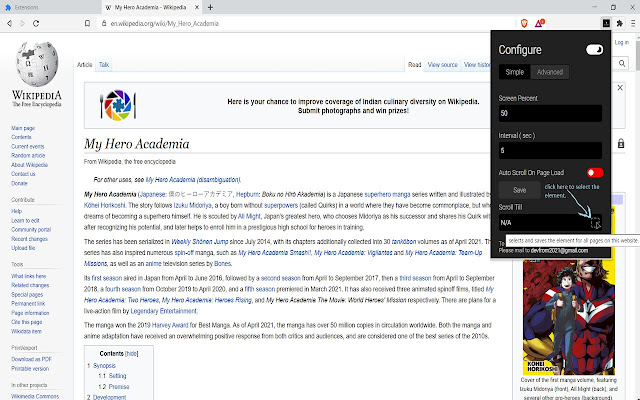
1. Simple
In simple mode you can set the scroll speed to slow, medium or fast and customize the values. 1 being the fastest and increasing it to go medium or slow.
2. Advanced
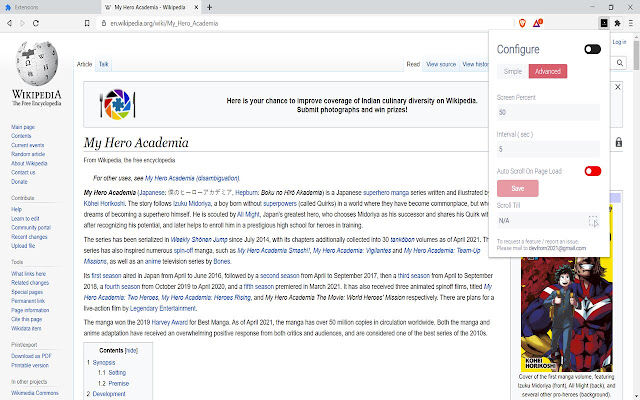
In advanced mode you have below options:
i. Scroll percent - Percent of the visible screen to be scrolled once per the given interval.
ii. Interval - Time gap between each scroll in seconds.
iii. Auto Scroll On Page Load - Whether to scroll automatically after the web page is loaded or not.
iv. Scroll Till - After the page has been scrolled if this element is reached/visible on the screen, the page stops scrolling. To select the element, click on the element picker button beside the non editable input field. After that go to the current webpage and try to select the element, the element you are trying to select will be highlighted in light blue color. ( Please Refer to the 3rd and 4th screenshots for more info ).
Note:
Save the edited configuration before clicking on "Scroll Till" option.
Configuration is stored per domain ( ex: www.example.com ), not for every webpage.
Extore is a team of professionals who are passionate about creating extensions for web browsers. This devotion also gives us opportunity to appreciate work of other people. We get inspired by useful, open source extensions made by developers all over the world. Our strong belief is that one should share helpful add-ons with others. That’s why we’d like to present you our ever-growing list of favourite extensions that have inspired us. Moreover, as you probably have already learned, sometimes struggling for the best brings an end to the good. Talking about add-ons it often turns out that an upgrade is worse then previous version. Also it can become really tricky to get back to the beloved version of your favourite extension. That’s why we’re going to make not only the latest, but all versions of our favourite (and we hope yours too) add-ons available for download. No more compromises, just stick to the version you really like!
 Preparing download link, please wait for seconds
Almost done...
Click to download
Error getting file. Please try again
Preparing download link, please wait for seconds
Almost done...
Click to download
Error getting file. Please try again







