

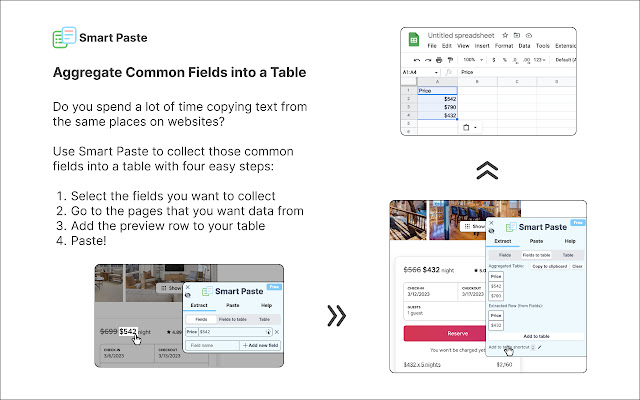
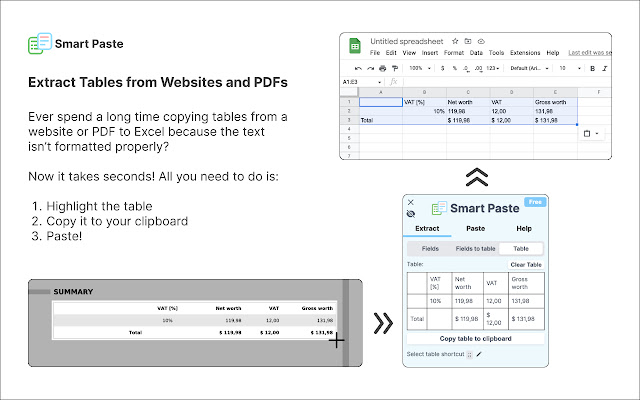
Introducing Smart Paste - the ultimate tool for hassle-free data entry! With Smart Paste, you can save time and effort by automating repetitive tasks such as extracting common fields from websites and putting them into a table or extracting tables from PDFs and websites to Excel format.
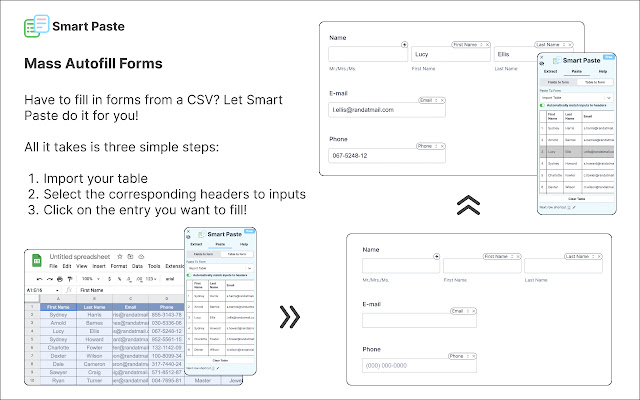
But that's not all! Smart Paste also has the ability to autofill forms from table data, making it even easier to get your work done quickly and efficiently. And if you need to fill out forms using data from different tabs on Chrome, Smart Paste has got you covered.
Don't waste any more time on tedious data entry tasks. Download Smart Paste now and make your life easier!
This application replaces the default Chrome pdf viewer with pdf.js to render PDF files, so we wanted to shout them out!
If you have feedback or feature suggestions, email us at [email protected]!
We are also looking to give away a few discounted pro licenses if you're willing to hop on a 15-minute call here: calendly.com/smartpaste/15
Version Updates:
Version 4.1.6
- Stop propagation when typing in the input fields
- Consistent templates when DOM updates
Version 4.1.5
- Fix field updates on change URL
Version 4.1.4
- Fix login through website
Version 4.1.3
- Smart Paste will no longer overwrite inputs where the user inputs data. It will only modify inputs it auto-fills.
Version 4.1.2
- Fixed Extract consistency issue, Fields to Table data should be consistent across same URL
Version 4.1.1
- Fixed bugs with the extension not closing, form filling pill UIs not appearing, and extract fields not updating when switching tabs.
Version 4.1.0
- Added Hotkeys to extract tables, add fields to a table and fill forms from tables
- Simplified the onboarding page
- Added a toggle to disable suggested data sources when filling forms
- Improved the auto data source suggestion logic
- Many many bug fixes
Version 4.0.1
- Added a new logo for better visibility in all backgrounds.
- Added a minimize button so the sidebar won't cover input forms.
- Fixed a bug where some input overlays won't follow the page when you scroll.
Version 4
- Added a beautiful new sidebar UI to support all the new features.
- Added auto form-filling from fields and tables
- Added fields extraction
- Added fields extraction to tables
- Added ability to import tables from excel
Version 3.1
- Added an option to extract data as text, not just as tables
Version 3.0
- Pro users can now parse tables from any website
- Improved OCR accuracy
- Introduced clear installation instructions for PC and Mac
- Updated the extension popup for easy access to installation and usage instructions
Version 2.0
- Added OCR to parse tables from images
- Users will no longer have problems when they parse single-column tables
Version 1.0
- Now works with Windows computers
- Improved PDF table parsing (e.g. tables in i94 PDFs)
Version 0.1
- Alpha launch
Extore is a team of professionals who are passionate about creating extensions for web browsers. This devotion also gives us opportunity to appreciate work of other people. We get inspired by useful, open source extensions made by developers all over the world. Our strong belief is that one should share helpful add-ons with others. That’s why we’d like to present you our ever-growing list of favourite extensions that have inspired us. Moreover, as you probably have already learned, sometimes struggling for the best brings an end to the good. Talking about add-ons it often turns out that an upgrade is worse then previous version. Also it can become really tricky to get back to the beloved version of your favourite extension. That’s why we’re going to make not only the latest, but all versions of our favourite (and we hope yours too) add-ons available for download. No more compromises, just stick to the version you really like!
 Preparing download link, please wait for seconds
Almost done...
Click to download
Error getting file. Please try again
Preparing download link, please wait for seconds
Almost done...
Click to download
Error getting file. Please try again







