

This productivity extension is designed for users who frequently need to enter the same or similar text in form text areas, e.g., doctors who use medical records systems with web front-ends. They often need to input the same text for every patient, only changing specifics like patient name, date, vitals, etc. One solution is to copy and paste from text files, then search for changes to replace, but this is very inefficient since it requires switching focus to the file browser, then text editor, then back to the web form to paste and change the text.
Text Fu provides a simpler and faster solution using text triggers, which are short abbreviations created by the user that expand to the full text. The placeholder *** is used for any text that needs to be changed, and users can cycle through the placeholders by pressing the F2 key. The text triggers and their expansions are stored in the browser, and are available to use in any text area in an chrome window or tab. No copy/paste or app switching is needed.
Example:
A data entry clerk needs to post productivity reports for multiple people several times a day. For simplicity, let's say the report text looks like this:
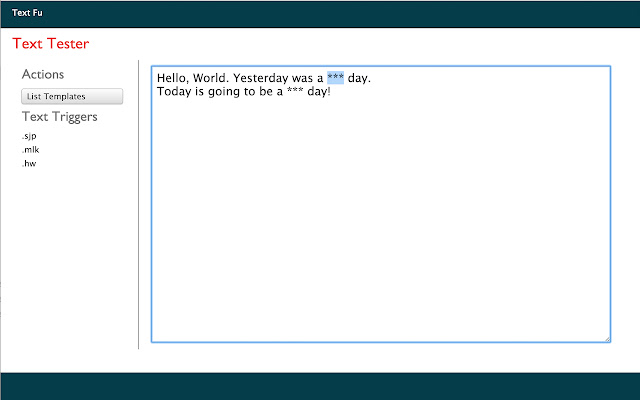
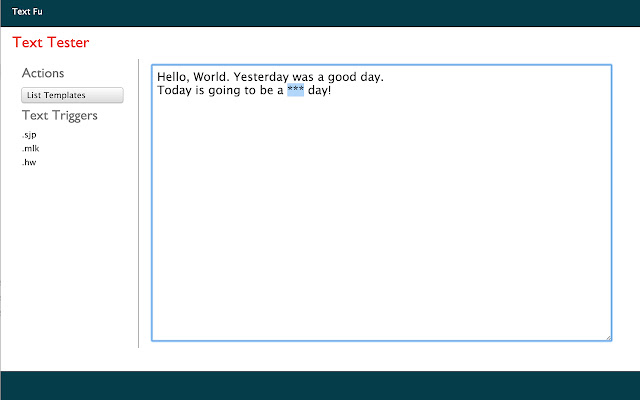
"Hello, World. Yesterday was a *** day. Today is going to be a *** day!" where *** could be 'good', 'bad', 'ugly' or anything else. The clerk enters this text in the Text Fu options page and decides to make it's text trigger ".hw". Now the clerk only needs to type .hw followed by the enter/return key, and the trigger (.hw) will be replaced with the full text (Hello, World. Yesterday was a *** day. Today is going to be a *** day!). Then the clerk selects the placeholder text just by pressing F2 (multiple presses cycle through the placeholders). The clerk replaces placeholder with the actual data and is ready to submit, all without leaving the keyboard to use the mouse!
Text triggers and their expansions can be created/updated/deleted in the Text Fu options page, or they can be fetched from a remote URL as a json object where each property name is a text trigger and each property value is the expanded text like the following:
{
".hw": "Hello, World. Yesterday was a *** day. Today is going to be a *** day!",
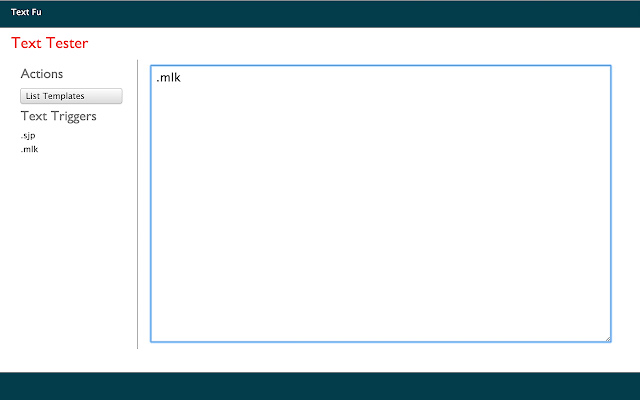
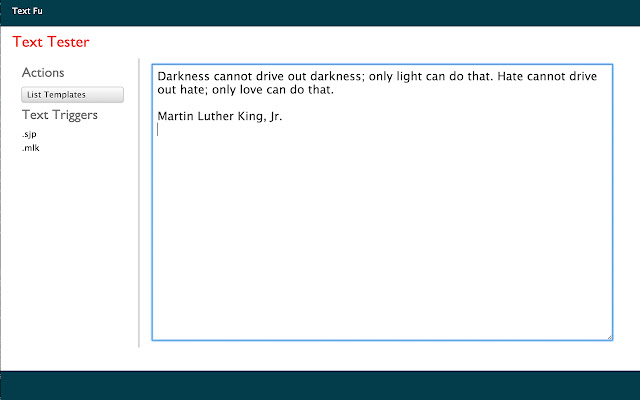
".mlk":"Darkness cannot drive out darkness; only light can do that. Hate cannot drive out hate; only love can do that.\r\n\r\nMartin Luther King, Jr."
}
Extore is a team of professionals who are passionate about creating extensions for web browsers. This devotion also gives us opportunity to appreciate work of other people. We get inspired by useful, open source extensions made by developers all over the world. Our strong belief is that one should share helpful add-ons with others. That’s why we’d like to present you our ever-growing list of favourite extensions that have inspired us. Moreover, as you probably have already learned, sometimes struggling for the best brings an end to the good. Talking about add-ons it often turns out that an upgrade is worse then previous version. Also it can become really tricky to get back to the beloved version of your favourite extension. That’s why we’re going to make not only the latest, but all versions of our favourite (and we hope yours too) add-ons available for download. No more compromises, just stick to the version you really like!
 Preparing download link, please wait for seconds
Almost done...
Click to download
Error getting file. Please try again
Preparing download link, please wait for seconds
Almost done...
Click to download
Error getting file. Please try again







