

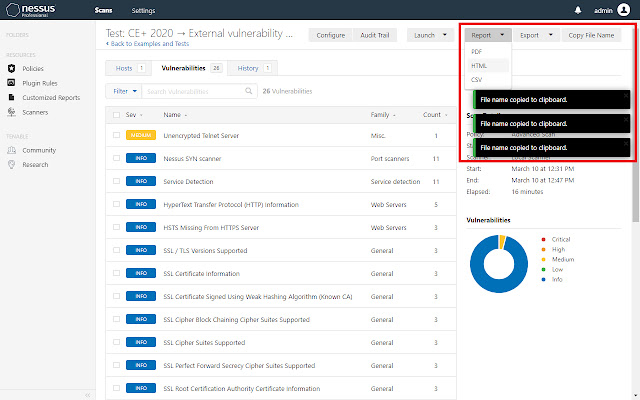


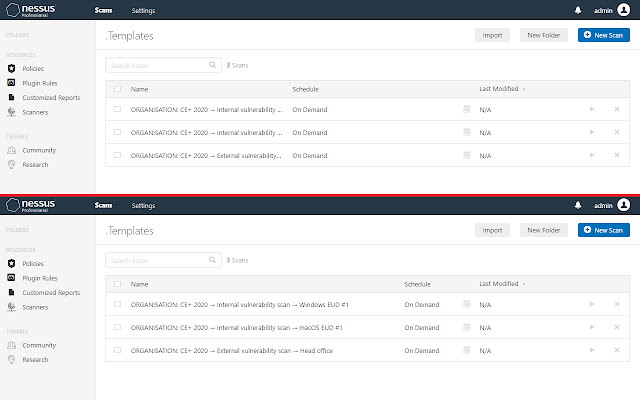
Currently, this changes the following:
• Fixes clickable height of "Back to" link.
• Adds links to table name cells so that they can be middle- and right-clicked to open in new tabs.
• Adds button to scans to copy a file name. This also automatically replaces Windows invalid characters (refer to https://mythofechelon.co.uk/blog/2020/3/6/how-to-work-around-windows-restricted-characters).
• Makes scan and vulnerability table columns more space efficient by decreasing the width of some and removing redundant ones.
• Moves notifications so that individual or multiple notifications don't block the buttons or sub-buttons.
• Removes maximum width limitation on scan title headings.
• Increases width of scan configuration input fields.
• Enables resizing of textareas.
By default, only works with the URL https://localhost:8834/ because using broader permissions requires manual reviewing which increases the publishing time enormously (from minutes to days or even weeks). If you use a custom URL (DNS name and/or port), do the following:
1. Close all instances of Google Chrome. This writes the latest configurations.
2. Edit the file "%localAppData%\Google\Chrome\User Data\Default\Preferences"*.
3. Do a find-and-replace-all using the following parameters (including the quotation marks):
• Find: "https://localhost:8834/*"
• Replace with (option #1): "https://localhost:8834/*","https://YOUR_URL/*"
• Replace with (option #2): "https://*:8834/*"
Last tested on Nessus Professional version 8.10.1 (latest as of 2020/06/25).
Changelog / version history is available at "%localAppData%\Google\Chrome\User Data\Default\Extensions\dbnnngkmpjaigkjjikdmihpocggbglgg\<version number>\notes\Version History.txt"*.
* The folder "Default" may be named something like "Profile 1" if you have multiple profiles.
Extore is a team of professionals who are passionate about creating extensions for web browsers. This devotion also gives us opportunity to appreciate work of other people. We get inspired by useful, open source extensions made by developers all over the world. Our strong belief is that one should share helpful add-ons with others. That’s why we’d like to present you our ever-growing list of favourite extensions that have inspired us. Moreover, as you probably have already learned, sometimes struggling for the best brings an end to the good. Talking about add-ons it often turns out that an upgrade is worse then previous version. Also it can become really tricky to get back to the beloved version of your favourite extension. That’s why we’re going to make not only the latest, but all versions of our favourite (and we hope yours too) add-ons available for download. No more compromises, just stick to the version you really like!
 Preparing download link, please wait for seconds
Almost done...
Click to download
Error getting file. Please try again
Preparing download link, please wait for seconds
Almost done...
Click to download
Error getting file. Please try again







