
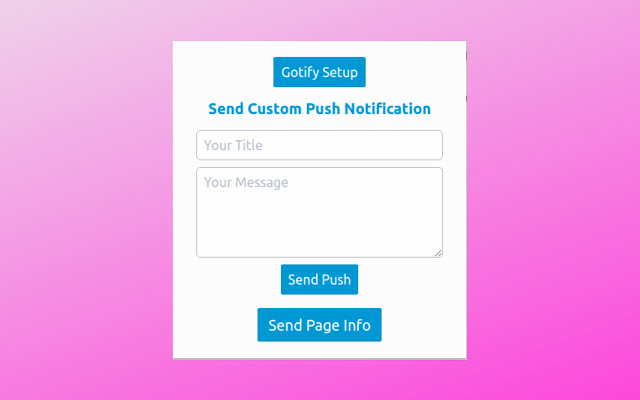


▶ Gotify push
Gotify ???? Google Chrome Extension
Chrome Extension for Send Push Notification to gotify/server ????
- System Font
- Spectre.css Framework
- Light Weight and Optimized
- Fetch API
▶ Requirments
- Gotify API
▶ Usage
- you can Find the Plugin Option page on Chrome toolbar Right side of the Address bar
- Click Gotify Setup Button and Enter your Gotify APP API URL and Save it
- That's all Successfully Setup Gotify Push Extension on your Brower
▶ Allow CORS
You must configure your server CORS allow this extension to Send push notification from this Extension
- Open config.yml File and Update this Setup
server:
cors:
alloworigins:
- "chrome-extension://cbegkpikakpajcaoblfkeindhhikpfmd"
allowmethods:
- "GET"
- "POST"
allowheaders:
- "Authorization"
- "content-type"
stream:
allowedorigins: # allowed origins for websocket connections (same origin is always allowed, default only same origin)
- "cbegkpikakpajcaoblfkeindhhikpfmd"
▶ Features
- Send Custom Push Notification
- Send Current page INFO
- Send Image URL
- Send Link
- Send Selected Text
▶ LICENSE
MIT
Extore is a team of professionals who are passionate about creating extensions for web browsers. This devotion also gives us opportunity to appreciate work of other people. We get inspired by useful, open source extensions made by developers all over the world. Our strong belief is that one should share helpful add-ons with others. That’s why we’d like to present you our ever-growing list of favourite extensions that have inspired us. Moreover, as you probably have already learned, sometimes struggling for the best brings an end to the good. Talking about add-ons it often turns out that an upgrade is worse then previous version. Also it can become really tricky to get back to the beloved version of your favourite extension. That’s why we’re going to make not only the latest, but all versions of our favourite (and we hope yours too) add-ons available for download. No more compromises, just stick to the version you really like!
 Preparing download link, please wait for seconds
Almost done...
Click to download
Error getting file. Please try again
Preparing download link, please wait for seconds
Almost done...
Click to download
Error getting file. Please try again







